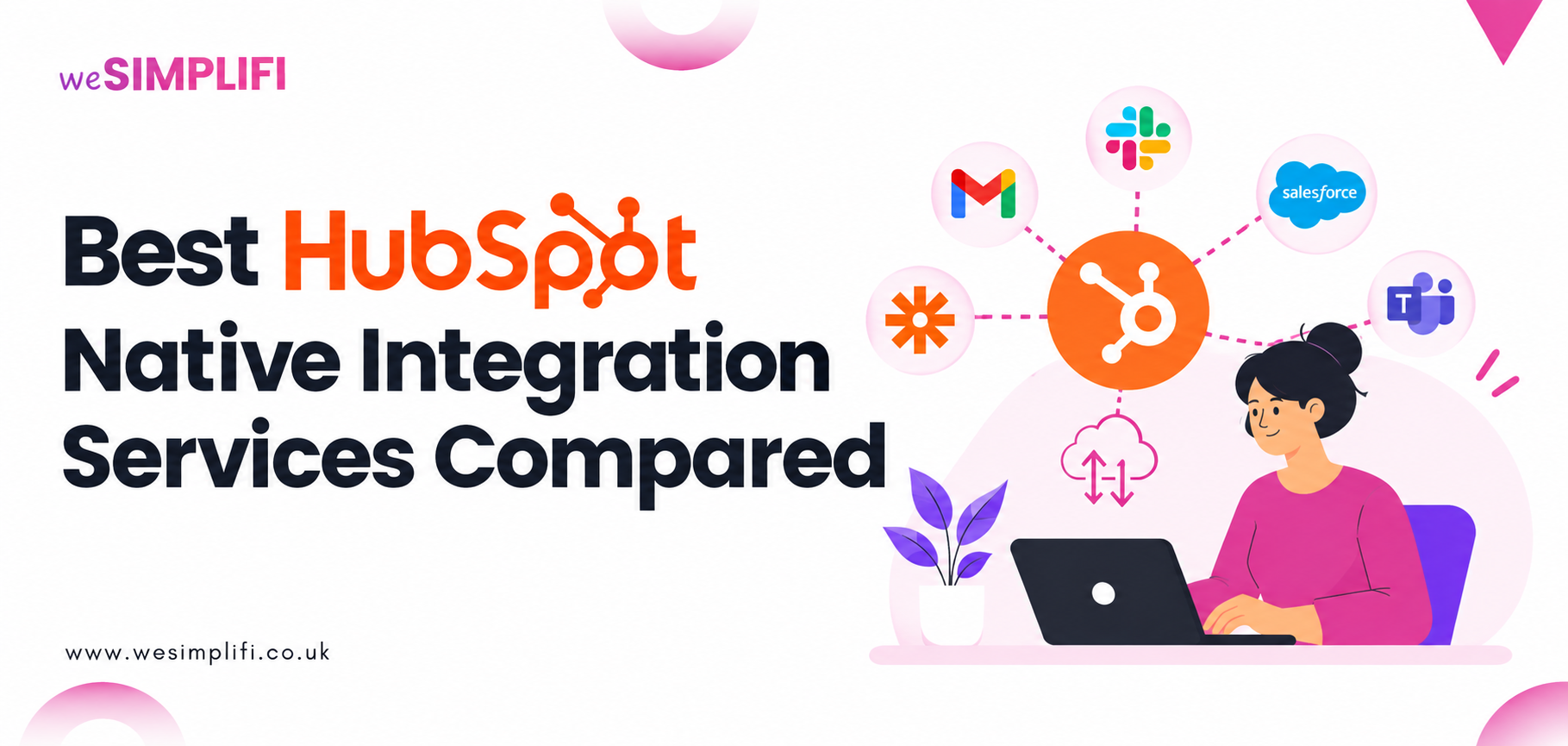
Connecting HubSpot with the business apps your teams already use helps create a more consistent view of customer data, reduce manual work, and improve decision-making.
HubSpot native integrations provide pre-built connections to support these third-party applications, allowing businesses to sync data without building every connection from scratch. However, not every connector supports every workflow or data requirement.
In this WeSimplifi guide, we'll explain how native and custom integrations differ, when you should consider professional HubSpot integration services, and how to choose the right integration partner for your business.
Native HubSpot Integrations vs Custom Integrations
Native HubSpot integrations are pre-built connections to third-party tools that you can access through the HubSpot App Marketplace. You can utilise these integrations to sync contacts, companies, deals, and other supported records between HubSpot and third-party systems.
HubSpot Data Sync supports one-way and two-way sync for compatible applications, along with configurable field mappings and synchronisation settings. The exact capabilities will depend on the application you’re connecting to.
Custom integrations, on the other hand, involve developing or extending a connection to meet requirements that HubSpot’s existing connectors don't support.
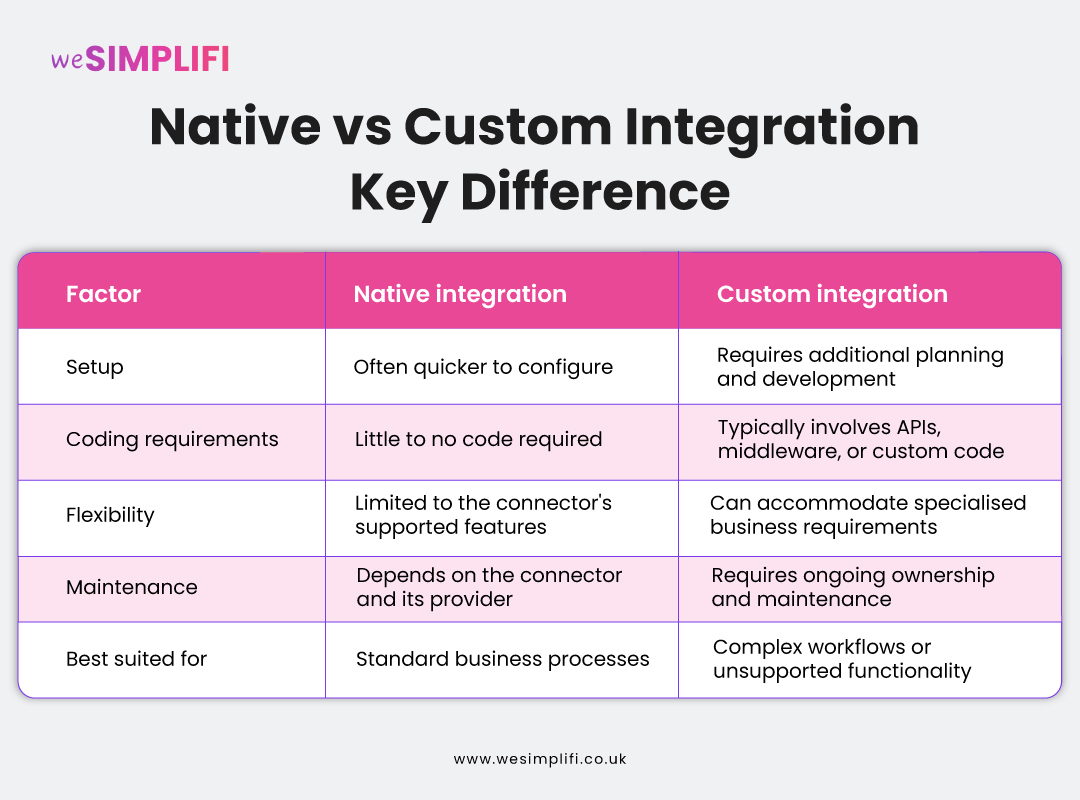
For many businesses, native integration is a practical way to start and then build custom APIs when these connectors don't meet specific requirements.
What Are HubSpot Native Integration Services?
HubSpot native integration services are professional services that help businesses to integrate HubSpot with their existing apps and configure these connections to support their operations.
These HubSpot integration services can include:
- Integration assessment - Identifying the applications, records, and business processes that need to be connected.
- Connector configuration - Installing supported integrations and configuring synchronisation settings.
Data mapping and migration - Matching fields across applications and planning how existing records should be handled. - Workflow automation - Setting up processes that use synchronised data to trigger appropriate actions.
Integration testing - Checking data accuracy, synchronisation behaviour, and error handling before launch. - Ongoing support - Troubleshooting issues, monitoring performance, and adapting integrations as business requirements change.
The level of support you need for your business software integrations depends on your current systems and the complexity of your requirements.
Check our guide on the eight CRM onboarding deliverables to learn what other factors should be a part of your onboarding discussion besides third-party integration support.
Signs You Need Expert HubSpot Integration Support
While you can handle simple native integrations yourself, you may need additional assistance in case the third-party tools fall short or you lose important data. HubSpot integration providers can help you here to restore these connections and break down silos.
Here’s a list of signs that indicate you need expert support for HubSpot integrations:
-
Lack of internal integration expertise - Your team may need assistance with permissions, testing, monitoring, and troubleshooting.
-
Inconsistent customer information - Sales, marketing, and finance may have different versions of the same customer record across their applications.
-
Manual data entry slowing down operations - Employees may spend unnecessary time transferring information between systems instead of focusing on their core responsibilities.
-
Duplicate or incorrect records - Poor matching rules or field mappings can cause data-quality problems.
-
Complex workflow automation required - Your business may require different actions based on customer status, deal stages, billing events, or operational rules.
-
Your business is scaling - Adding more applications, departments, or data sources can make your integration architecture harder to manage.
An integration specialist can assess these challenges and recommend whether the right solution for you is a native connector, additional configuration, or custom development.
At WeSimplifi, our HubSpot services include not only HubSpot Onboarding and CRM implementation but CRM integration support too. You can check our case study to learn how we approached HubSpot and Quickbooks integration for one of our clients.
What to Look for in a HubSpot Integration Service Provider
Choosing HubSpot Integration Providers involves more than just finding someone who can connect apps for you. The right partner should understand your CRM architecture, business processes, data requirements, and long-term support needs.
Experience with HubSpot
Look for a provider with demonstrable experience in HubSpot implementation, configuring integrations, and resolving syncing issues. Look for relevant case studies and client testimonials that demonstrate experience in your industry or with similar challenges.
Data Mapping and Migration Expertise
A reliable integration provider should determine how information will move between systems before the sync begins. This includes considering which application is the source of truth for each field or how the existing records will be matched, duplicate records will be handled, and historical data will be validated.
Workflow and Automation Configuration
A reliable integration provider should determine how information will move between systems before the sync begins. This includes considering which application is the source of truth for each field or how the existing records will be matched, duplicate records will be handled, and historical data will be validated.
Workflow and Automation Configuration
HubSpot Integration Services should address how synced data will support your actual business processes. For example, a new contact in one app might need to trigger a follow-up workflow in HubSpot or a change in customer status might need to update a record in another connected app.
Your HubSpot integrations provider should explain which requirements can be handled through existing connector features and which need additional development support.
Integration Testing and Error Handling
A successful connection doesn't necessarily mean that the integration is working correctly.
Your service provider should test record creation, updates, field mappings, sync direction, duplicate handling, and relevant failure scenarios. Ask them how errors will be detected, who will receive alerts, and how failed sync attempts will be investigated and resolved.
Security and Data Governance
Integrations can make information available across multiple applications, so access controls and data governance should be part of the implementation plan. Your provider should review application permissions, sensitive data, access restrictions, and your organisation's data-handling requirements.
Post Implementation Support
Your requirements for CRM integrations can change as your business grows. Applications may also change their APIs, permissions, or connector functionality. Ask whether the provider offers troubleshooting, monitoring, documentation, user training, and ongoing optimisation.
Check our guide to learn what makes a HubSpot Partner best for UK Ops teams.
Best HubSpot Native Integration Services Compared
After you’ve shortlisted potential providers, you can start with their partner tier and ratings but don’t make this decision based on ratings alone. Evaluate these providers against your business requirements:
1. Match the Provider to Your Integration Complexity
If you need to connect a supported application and sync standard records, a provider experienced in native connector configuration may be sufficient. If your requirements involve custom objects, multiple applications, specialised workflows, or complex data transformations, prioritise providers with demonstrated technical integration experience.
2. Review Relevant Case Studies
Ask for examples of projects involving similar systems, data structures, and business processes. Confirm that the case study includes the original challenge, their implementation approach, testing process, and measurable outcomes.
3. Verify Credentials and Reviews
Check the provider's current profile in the HubSpot Solutions Directory. Review their listed services, partner tier, relevant accreditations, and customer feedback. This helps confirm whether the provider has the technical expertise your project requires.
4. Compare the Full Project Scope
Request a proposal that includes everything from discovery, connector setup, data mapping, migration, and workflow configuration to testing, training, and ongoing support. This makes it easier for you to compare proposals and understand whether you need additional development or third-party software.
5. Evaluate Long-Term Support
Ask who will monitor the integration, troubleshoot errors, and handle changes to your applications or business processes after implementation. A provider should also document the integration so your internal team can understand how it works and manage it effectively.
Questions to Ask a HubSpot Integration Service Provider
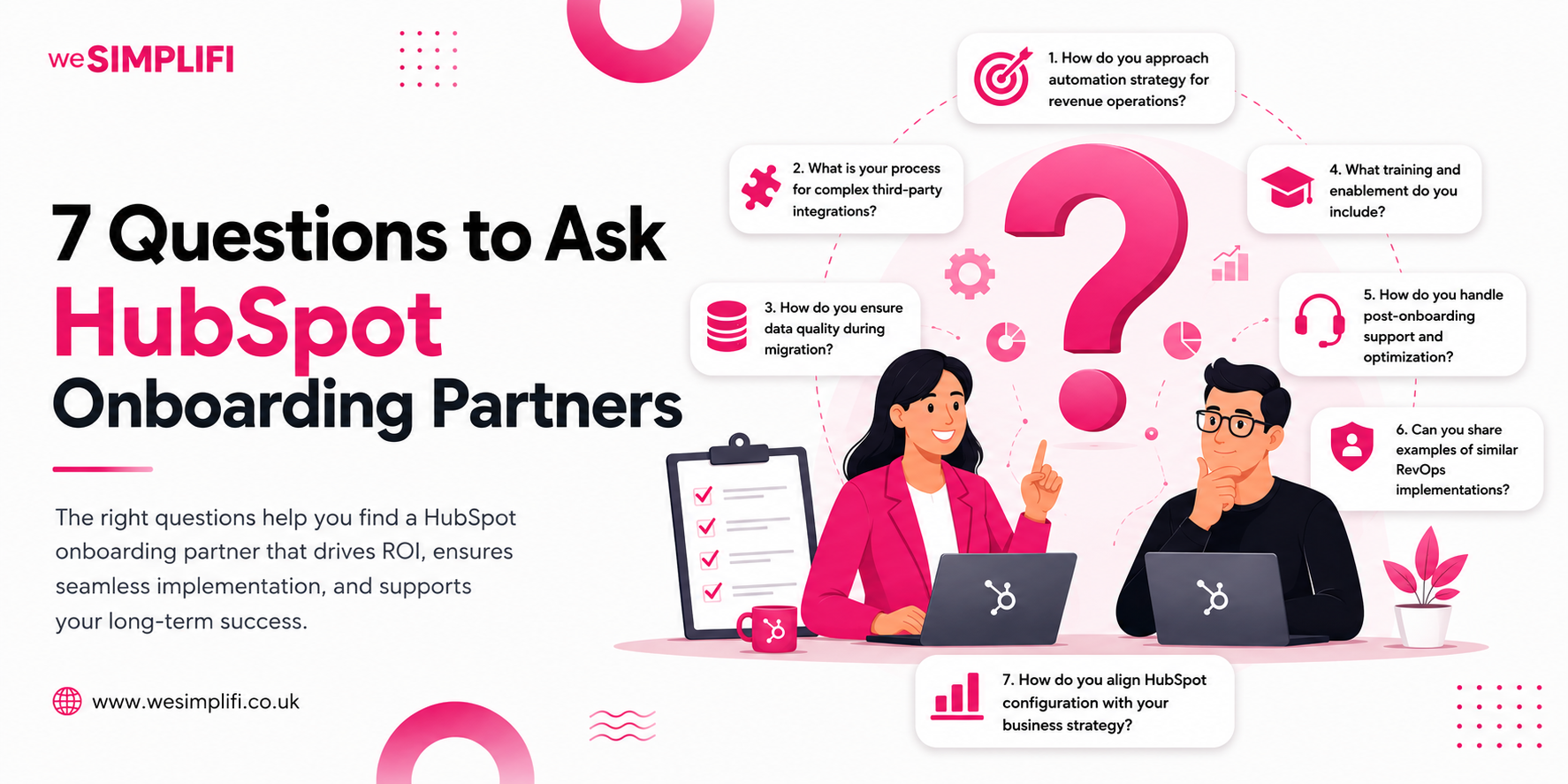
Before signing the final agreement, ask your prospective providers the following questions:
-
Have you implemented integrations involving our specific applications and business requirements?
-
Which requirements can be handled using native connectors and which ones require custom development?
-
How will you map fields and determine which system owns each piece of data?
-
How will you prevent duplicate records and resolve conflicting updates?
-
What testing will you perform before the integration goes live?
-
How will sync failures be detected and resolved?
-
What security measures and access controls will be implemented?
-
What documentation, training, and post-launch support are included?
-
What are the expected implementation timeline and total costs?
-
How will we measure the success of the integration?
The answers will help you understand whether a provider can connect your apps and build a reliable integration that supports your business processes.
Final Thoughts
HubSpot native integrations can help businesses connect their CRM with the apps they already use, reduce repetitive tasks, and improve data consistency across teams. However, getting the most from these integrations requires careful planning, accurate field mapping, appropriate workflow configuration, and ongoing maintenance.
At WeSimplifi, we help businesses make informed HubSpot implementation decisions and build integrations that support their operations as they grow, delivering long term value. Need help connecting HubSpot with your existing business systems? Talk to WeSimplifi about your CRM integration requirements.
Frequently Asked Question
1. What are HubSpot native integrations?
HubSpot native integrations are pre-built integrations that support HubSpot connections and data syncing with third-party tools without complex coding.
2. Does HubSpot integrate with QuickBooks?
Yes, HubSpot supports integration with QuickBooks through native integrations in the HubSpot App marketplace.
3. Can HubSpot integrate with Salesforce?
Yes, HubSpot can integrate with Salesforce natively through a bi-directional sync. You can share contact and leads, contact and companies, deals and opportunities, activities, lead scoring, and campaign attribution across the two systems.
4. Can HubSpot connect with an ERP system?
Yes, you can connect Hubspot with major ERP systems like Microsoft Dynamics 365, and Business Central through native integrations.
5. When should a business use a HubSpot integration partner?
A business should use a HubSpot integration partner when connecting HubSpot to complex third-party systems like Salesforce, ERP systems, and custom internal platforms.
6. Are native HubSpot integrations better than custom integrations?
Between native HubSpot integrations and custom integrations, the better choice for you depends on your budget, technical complexity, and workflow requirements.
7. How much technical expertise is needed to implement a HubSpot integration?
The technical expertise needed to implement a HubSpot integration depends on whether you’re using complex integrations and custom API solutions or native integrations pre-built in HubSpot.
8. How do you choose a HubSpot integration service provider?
To choose the right HubSpot integration service provider, you should look at their partner tier and accreditation, previous experience, data governance practices, and ongoing support.